Static Dread: The Submarine Controls
Move, interact, run, and find the handgun before Timmy finds you.
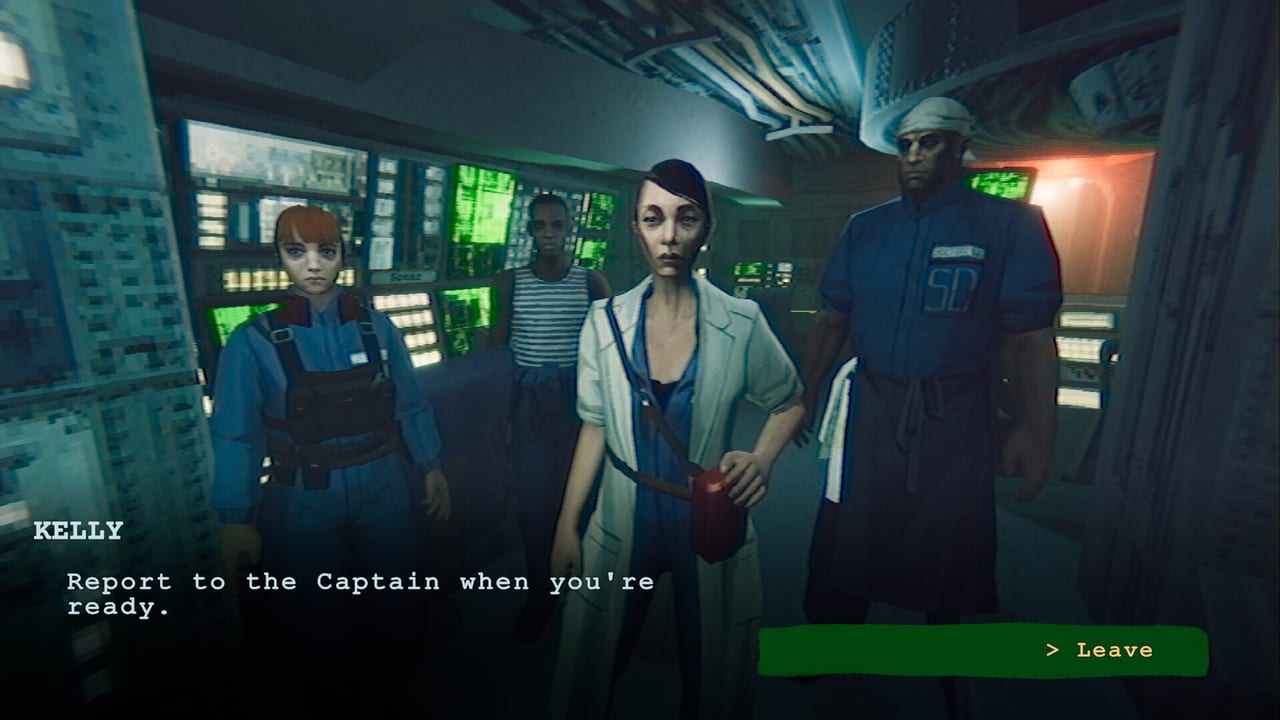
Players bounce off Static Dread: The Submarine in the first hour for a boring reason: the gun does not announce itself. First-look footage shows someone opening Settings, tapping number keys, trying G, and still walking unarmed toward an infected sailor. This page lists how the retail build actually wants to be driven — keyboard, mouse, and full controller — so you can return to Getting Started and how to deal with Timmy without fighting the HUD.
The game is a first-person explorer with panel minigames, not a tactical shooter. Most inputs are look, walk, interact, and hold-or-tap prompts on valves, sonar, and hatches. Combat exists, but it is a last resort inside a pressure hull. If you came here from a Roblox muscle-memory, unlearn the loadout wheel. There is none.
Keyboard and mouse
Use WASD to move and the mouse to look. Shift sprints; you will need it when a hatch starts closing during the accident. Interact is the standard use key (E on typical PC layouts). Hold the prompt when a panel asks you to keep pressure in a green zone. Some sonar and repair tasks want repeated taps rather than a single click. If a minigame feels like it is doing nothing, you are probably tapping a hold prompt or holding a tap prompt. Re-read the on-screen verb.
Menus include look sensitivity, camera smoothing, and display sync. They do not always reprint a full control table. If the gun is missing from that list, it is still bound — usually to a mouse button or a dedicated fire/aim control rather than a number-row weapon slot. Check the in-game rebind screen under Settings rather than assuming 1 is pistol. Streamers who mashed G learned this the hard way in storage while looking for Timmy.
When you do draw the weapon, remember you are inside a submarine. The fiction treats the pistol as the Captain’s personal sidearm, not a room-clearing tool. You will be asked to use it on infected crew, to lure a mutated sailor into a trap, or to refuse. Those story beats live on Timmy and how to survive, not in a recoil guide.
Controller
Static Dread: The Submarine ships with full controller support, DualShock/DualSense notes on the store page, and Steam Deck compatibility claims. On a pad, look with the right stick, move with the left, use the face-button interact, and sprint on a shoulder. Aim/fire sits on the triggers once the sidearm is actually in hand. If nothing happens, open the in-game layout and confirm the game is not still listening to mouse focus in a desktop window.
Minigames are gentler on a stick than they look. Sonar analysis is about reading percentages and picking a command, not flicking a cursor through a bullet hell. Crew assignment is a menu. If a prompt asks you to hold, hold; the green-zone tasks are meant to be tense, not mechanically deep. The sonar guide explains what the numbers mean after you can actually click them.
Panels, drones, and the roster
A lot of “controls” in this game are in-world objects:
- Pressure and hatch panels during leaks — follow tubes, then initiate.
- Communications panels that log a deck as secure and unlock the next door.
- The First Mate roster console, which is a list of jobs and names. That workflow is documented in crew management.
- External repair drone launches from designated stations, not from a gadget wheel.
- Sonar mainframe: classify a contact, then send a heading to the bridge.
If a door stays shut, you probably missed a log, not a secret keybind. Backtrack. The story walkthrough calls those gates out in order.
Accessibility and comfort
There is no story-skipping “easy combat” toggle because combat is rare. What you can do is lower look sensitivity if sonar screens make you overshoot buttons, enable whatever vsync option your machine likes, and play seated. The horror is claustrophobia and voice acting, not twitch checks. If subtitles disagree with a line of dialogue — reviewers have caught that — trust your ears for tone and the subtitle for the mechanical instruction when they conflict, then keep moving. Report leftover bugs on Steam; this wiki is not a patch tracker beyond the Updates Hub.
Play on a keyboard if you want faster menuing through the roster. Play on a controller if you want the boat to feel like a cinema. Either way, bind the gun where you can find it before algae makes the choice for you. Then go back to the Guides Hub and staff the next watch.
A clean control setup will not save a bad Timmy decision, but it will stop you from dying in a freezer because you could not remember which mouse button exists.
Frequently Asked Questions
Quick answers to the most common questions.
How do I draw the gun?
Use the in-game Settings rebind list. It is not a number-row weapon. Look for aim/fire, not G or 1.
Is there controller support?
Yes. Full controller support shipped at launch, including PlayStation pad notes and Steam Deck targeting.
Why do minigames ignore my clicks?
Some want a hold in a green zone, others want taps. Match the on-screen verb instead of clicking faster.
Can I rebind keys?
Open Settings in-game. Sensitivity lives there too. The wiki cannot dump a live table that patches may change.